Find the receipt.
Browse installed package receipts, search by package ID or regular expression, and inspect versions, installation dates, volumes, and groups.
A closer look at your Mac
Know what an installer left behind. Explore package receipts, inspect files, and plan your next step — all in one native Mac app.
Coming soon to the Mac App Store · macOS 14 or later
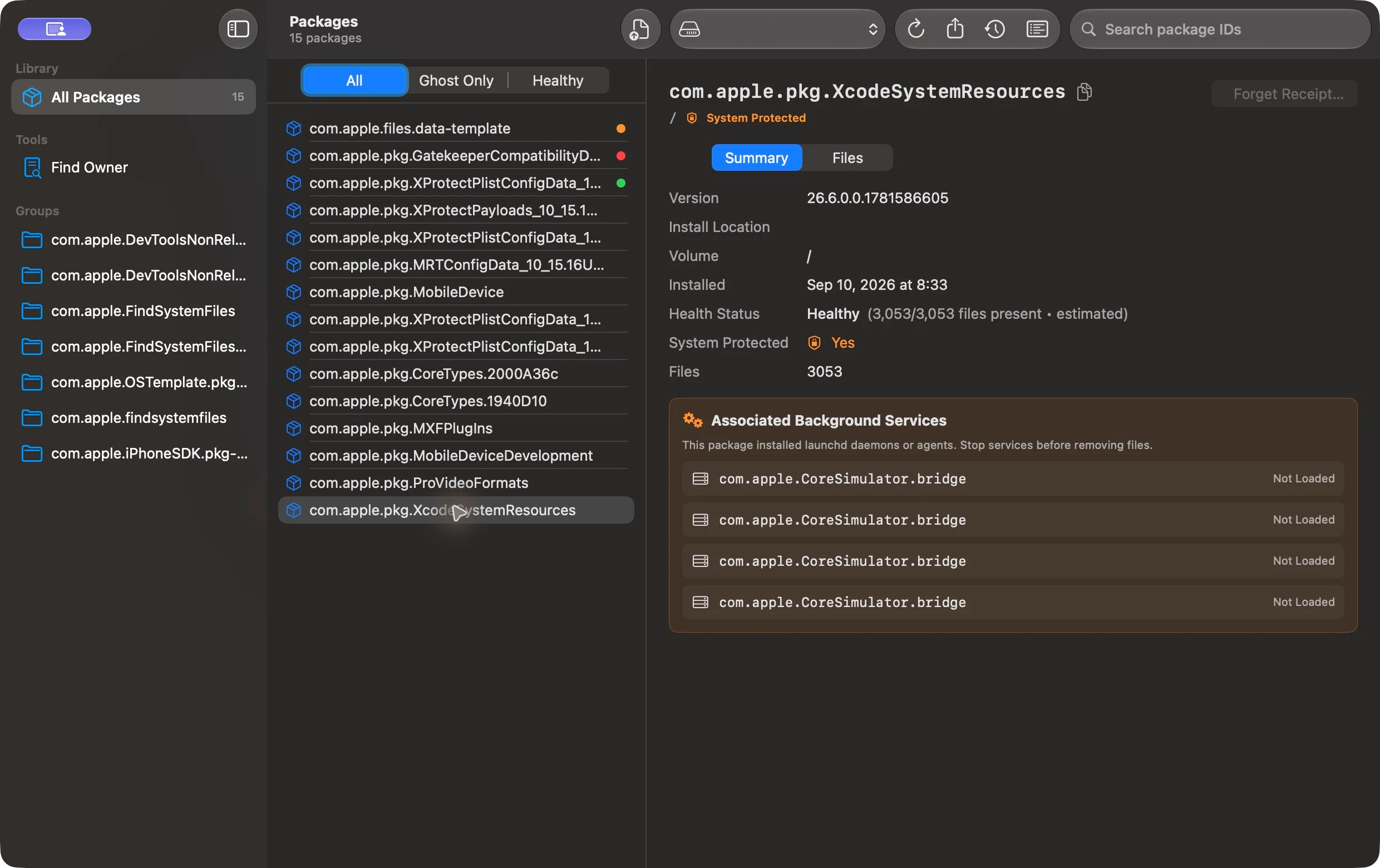
Captured in ParcelScope on macOS. Package availability and system appearance vary by Mac.
From installation to understanding
Bring the details behind macOS installer packages into focus, without digging through Terminal.
Browse installed package receipts, search by package ID or regular expression, and inspect versions, installation dates, volumes, and groups.
Open a standalone .pkg to inspect its archive directory and available signature and certificate information before installation.
Identify launchd agents and daemons listed in a receipt, and see their status where the current session can query it.
Less guesswork. More context.
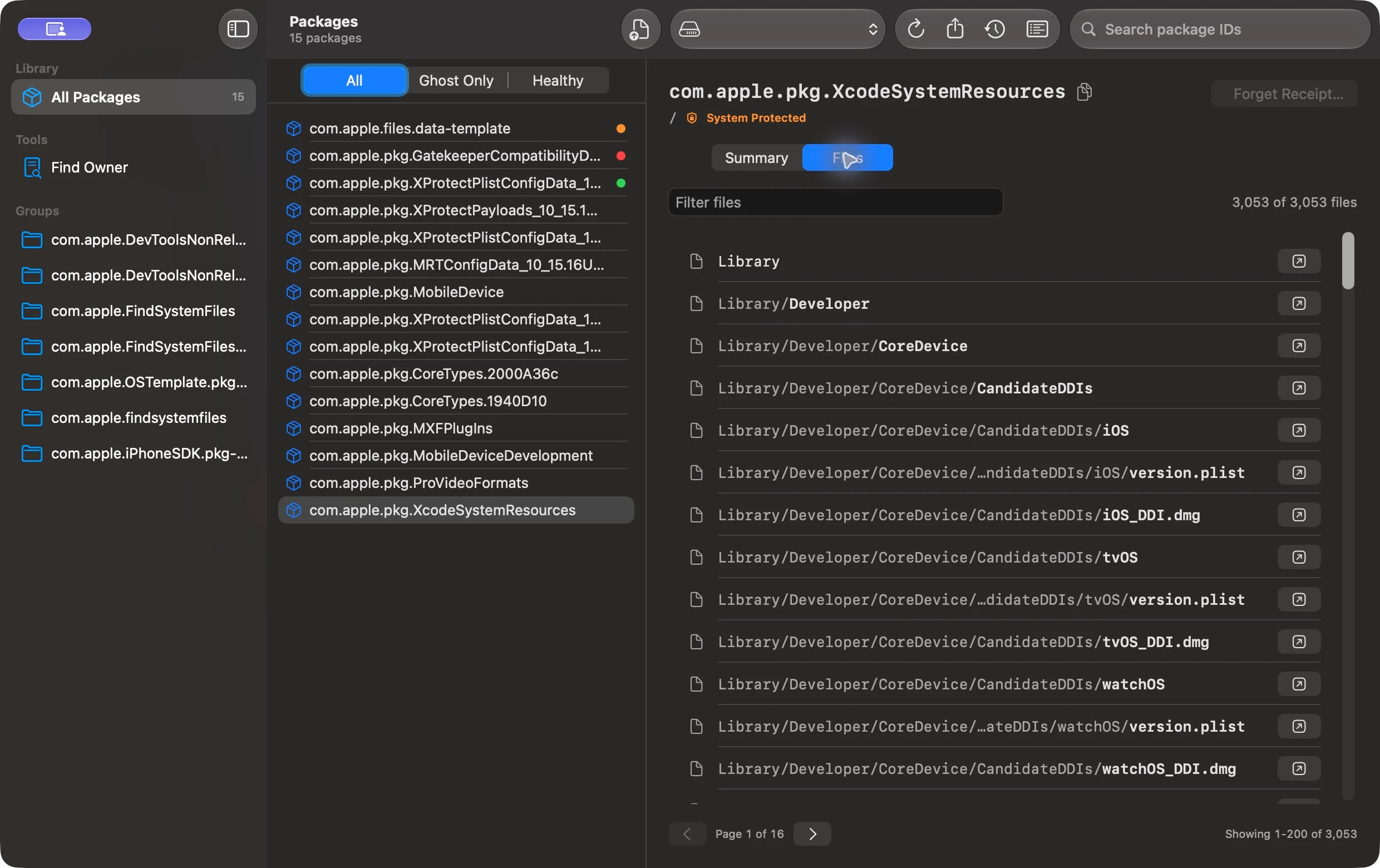
Explore a receipt’s installed file list, filter paths, check whether files are present, and reveal them in Finder. Look up a file to find its package owner.
Receipt health checks help identify missing files. Results are a guide for investigation, not a verdict on whether software is safe to remove.
Understand first. Act second.
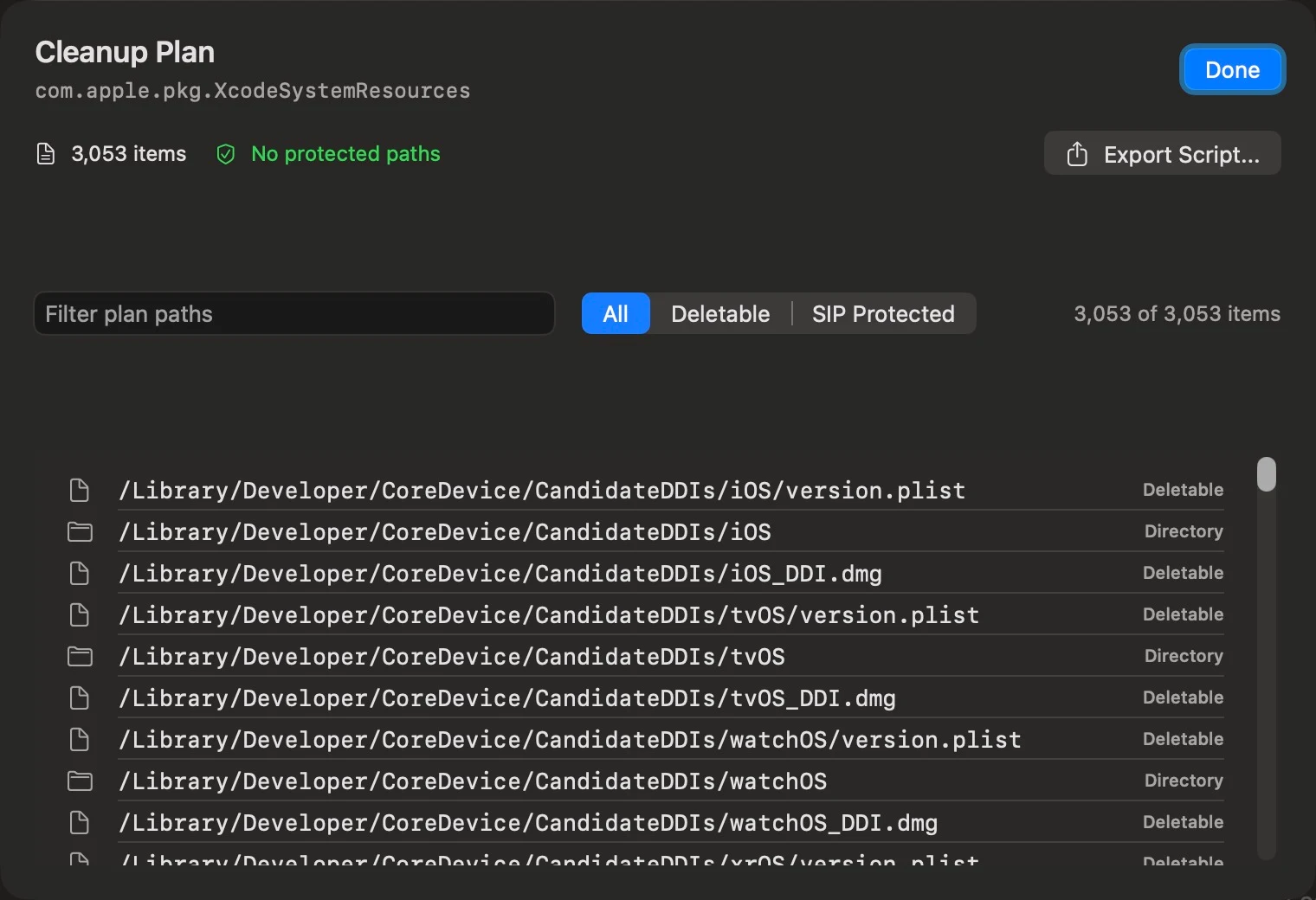
Review paths and protected-file classifications before exporting a cleanup script. Read the script, decide what to keep, and execute it yourself in Terminal.
The Mac App Store edition does not directly remove system files or forget receipts. Always review exported scripts before execution.
Your Mac. Your information.
ParcelScope works on your Mac. Your receipts, file paths, and inspection results stay there — with no analytics SDKs, advertising, or telemetry.
Read the privacy policy ↗The app is an offline utility. Inspection does not require an account or cloud service.
File access is used for local inspection. Full Disk Access may be needed to inspect protected locations.
Property lists and cleanup scripts are saved through user-directed system save dialogs.
When a standard .pkg installer installs software, macOS records a receipt with installation metadata and a file list. A receipt is a record of installation, not the application itself.
No. The Mac App Store edition inspects packages and generates cleanup scripts. You review and run an exported script yourself. Removing a receipt alone does not remove the installed files.
A missing file can indicate leftover installation records, but it can also reflect a software update or a changed path. Review the package and its files before deciding to clean anything up.
ParcelScope requires macOS 14 or later. Access to some package files may require Full Disk Access.
Use the support link to report a problem or ask a question on GitHub. Avoid posting personal information or sensitive file paths in public issues.
A little more visibility. A lot less guesswork.
Coming soon to the Mac App Store · macOS 14 or later